
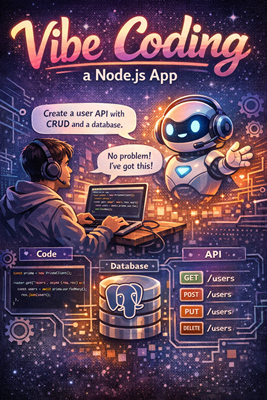
A practical example.
Vibe Coding a Full-Stack Node.js App (With a Real Database)
Vibe coding is what happens when you stop writing code line-by-line and start directing it.
Instead of asking “how do I implement this?”, you ask “what should exist?”—and let an AI do the heavy lifting. You stay in the flow, iterate fast, and focus on architecture and intent rather than syntax trivia.
In this post, we’ll vibe code a Node.js backend with a database, using prompts as our primary interface.
We’ll build:
- A Node.js API (Express)
- A PostgreSQL database
- An ORM (Prisma)
- CRUD endpoints
- Minimal but production-shaped code
What Is Vibe Coding, Technically?
Vibe coding is:
- Prompt-driven development
- High-level intent → concrete implementation
- Rapid iteration with conversational feedback
It’s not:
- Copy-pasting random snippets
- Letting AI make architectural decisions blindly
- Shipping without understanding the code
You still review, refine, and own the result. The difference is speed and flow.
Step 1: Set the Vibe (Architecture Prompt)
We start by telling the AI what we want—not how to type it.
Example prompt:
Create a Node.js backend using Express and Prisma.
Use PostgreSQL as the database.
The app should manage users with id, email, name, and createdAt.
Include basic CRUD endpoints.
Use modern JavaScript (ES modules).
From this single prompt, you typically get:
- Project structure
- Dependency list
- Prisma schema
- Express routes
- Basic error handling
Now we refine.
Step 2: Project Setup (Generated + Reviewed)
Install dependencies
npm init -y
npm install express prisma @prisma/client dotenv
npm install -D nodemon
Project structure
src/
  index.js
  routes/
    users.js
  prisma/
    schema.prisma
.env
Step 3: Vibe Coding the Database Schema
Prompt:
Write a Prisma schema for a User model with:
- id (UUID, primary key)
- email (unique)
- name (string)
- createdAt (timestamp, default now)
prisma/schema.prisma
generator client {
  provider = "prisma-client-js"
}

datasource db {
  provider = "postgresql"
  url      = env("DATABASE_URL")
}

model User {
  id        String   @id @default(uuid())
  email     String   @unique
  name      String
  createdAt DateTime @default(now())
}
Run:
npx prisma migrate dev --name init
This is classic vibe coding: you describe data intent, Prisma handles the SQL.
Step 4: Vibe Coding the Server
Prompt:
Create an Express server that:
- Uses JSON middleware
- Mounts a /users route
- Listens on port 3000
src/index.js
import express from "express";
import usersRouter from "./routes/users.js";

const app = express();

app.use(express.json());
app.use("/users", usersRouter);

app.listen(3000, () => {
  console.log("Server running on http://localhost:3000");
});
No ceremony. Just signal → code.
Step 5: Vibe Coding CRUD Endpoints
Prompt:
Create Express routes for users:
- GET /users
- POST /users
- GET /users/:id
- PUT /users/:id
- DELETE /users/:id
Use Prisma Client.
src/routes/users.js
import { Router } from "express";
import { PrismaClient } from "@prisma/client";

const router = Router();
const prisma = new PrismaClient();

router.get("/", async (req, res) => {
  const users = await prisma.user.findMany();
  res.json(users);
});

router.post("/", async (req, res) => {
  const { email, name } = req.body;

  const user = await prisma.user.create({
    data: { email, name },
  });

  res.status(201).json(user);
});

router.get("/:id", async (req, res) => {
  const user = await prisma.user.findUnique({
    where: { id: req.params.id },
  });

  if (!user) {
    return res.status(404).json({ error: "User not found" });
  }

  res.json(user);
});

router.put("/:id", async (req, res) => {
  const { email, name } = req.body;

  const user = await prisma.user.update({
    where: { id: req.params.id },
    data: { email, name },
  });

  res.json(user);
});

router.delete("/:id", async (req, res) => {
  await prisma.user.delete({
    where: { id: req.params.id },
  });

  res.status(204).send();
});

export default router;
This is where vibe coding shines:
- You didn’t manually design each handler
- You still understand and control the logic
- The code is idiomatic and readable
Step 6: Iterate the Vibe (Refinement Prompts)
Vibe coding is iterative. You keep nudging.
Refinement prompts you might use:
Add basic error handling for Prisma errors.
Refactor this to use async error middleware.
Add request validation using Zod.
Make this production-ready with graceful shutdown and logging.
Each prompt is a directional adjustment, not a rewrite.
Step 7: Why This Works So Well
Vibe coding works especially well for:
- CRUD APIs
- Data-heavy services
- Boilerplate-heavy setups
- Prototyping and internal tools
You’re effectively:
- Designing at the system level
- Reviewing instead of typing
- Staying in flow longer
The skill isn’t typing—it’s prompting with clarity.
Vibe Coding Best Practices
Do:
- Be explicit about constraints
- Ask for explanations when reviewing
- Iterate in small prompt steps
- Treat generated code as draft
Don’t:
- Ship without reading
- Let AI invent business logic
- Skip tests just because “it works”
Final Thought
Vibe coding doesn’t replace engineers—it amplifies them.
When you combine:
- Clear intent
- Strong architectural taste
- Fast prompt iteration
…you get software that’s built faster and with more joy.
And honestly?
Coding with a good vibe just feels better 😌
No responses yet